
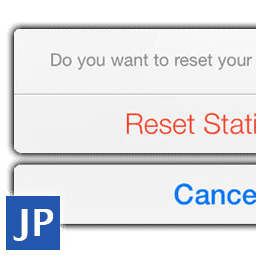
jpActionSheet
Present the user with a set of choices
Version : 2.0
Prix : $25
État : Épuisé

Téléchargements

v2.0
- Now compatible with ShiVa 2.0.
- Compiled for Mac and Linux in addition to Windows, so you can now use it while working with ShiVa Editor for each of these operating systems.
- Now uses a user token instead of an email to activate
v1.4
- new functions createFromArray and createAtPositionFromArray for ease of use when working with dynamic elemnts.
- new function setPreferredArrowOrientation to force the actionsheet arrow direction.
- Dropped tag based events, replaced with delegates meaning you can now get notified to your own handlers. Objects can also receive the notification.
v1.3
- Fixed a conflict with jpAlert
v1.2
Optimized for ShiVa 1.9.2 New function to create actionsheets targeting a specific location:
- jpActionSheet.createAtPosition
v1.1
- Built with the jpTools plugin.
--jpActionSheet API
jpActionSheet.activate ( sUserToken, sActivationKey )

jpActionSheet.create ( hOptObject, sAIModel, sHandler, sTitle, sCancelButton, sOptDestructiveButton, sOptOtherButton0, sOptOtherButton1, sOptOtherButton2, sOptOtherButton3, sOptOtherButton4, sOptOtherButton5, sOptOtherButton6, sOptOtherButton7 )
jpActionSheet.createAtPosition ( hOptObject, sAIModel, sHandler, nPositionX, nPositionY, sTitle, sCancelButton, sOptDestructiveButton, sOptOtherButton0, sOptOtherButton1, sOptOtherButton2, sOptOtherButton3, sOptOtherButton4, sOptOtherButton5, sOptOtherButton6, sOptOtherButton7 )

jpActionSheet.createFromArray ( hOptObject, sAIModel, sHandler, sTitle, tButtons, nOptCancelButtonIndex, nOptDestructiveButtonIndex )
jpActionSheet.createAtPositionFromArray ( hOptObject, sAIModel, sHandler, nPositionX, nPositionY, sTitle, tButtons, nOptCancelButtonIndex, nOptDestructiveButtonIndex )

jpActionSheet.setPreferredArrowOrientation ( kArrowOrientation )

--Callback format
onMyHandler ( nButtonIndex )


--Constants
jpActionSheet.kArrowOrientationAll
jpActionSheet.kArrowOrientationHorizontal
jpActionSheet.kArrowOrientationVertical
Description
Use the jpActionSheet plugin to present the user with a set of alternatives for how to proceed with a given task. You can also use it to prompt the user to confirm a potentially dangerous action. It contains an optional title and one or more buttons, each of which corresponds to an action to take.
Requirements
- The jpEventQueue plugin is required (free)
- The jpTools plugin is required (free)